Product & AI Meetings · · 8 min read
Real-Time Meeting Translation and More | VerbaMeet
See how VerbaMeet translates meetings in real time and adds AI meeting summaries, email follow-up, scheduling, Google Calendar, and search across past meetings.
When people think of VerbaMeet, live voice translation is usually the first feature that comes to mind. It is the core: each person can speak in their own language and hear the conversation in the language they choose. But a meeting does not begin when someone turns on a microphone, and it does not end when everyone says goodbye.
Before the call, someone coordinates the time and attendees. During it, everyone needs to follow the conversation. Afterwards, the team needs to remember what was decided, what remains open, and where a topic came up. VerbaMeet brings these parts into one account, making translation the center of a more complete meeting workflow.
How does real-time meeting translation work?
People join a VerbaMeet room through a browser video call. Each participant chooses the language they want to hear. As someone speaks, the platform processes the audio live and plays translated speech for those who need it; the whole team does not have to choose the same listening language.
The result is a voice-to-voice conversation that can keep moving without pausing after every turn for someone to interpret. Guests can join from the meeting link without adding a third-party transcription bot to the call.
AI meeting summaries: decisions, tasks, and next steps
If the host enables transcription and summaries, VerbaMeet processes the conversation after the session ends. The summary can organize the meeting goal, topics, agreements, disagreements, decisions, and next steps. It can also extract action items with an owner, due date, and priority, plus a timeline of key moments.
The meeting history lets users return to a session and review both its summary and saved transcript. These options can be turned off before a call. When they are used, tell participants what will be processed and review the AI output before treating it as a definitive record: names, nuance, and specialized vocabulary may need correction.
Can you email a meeting summary automatically?
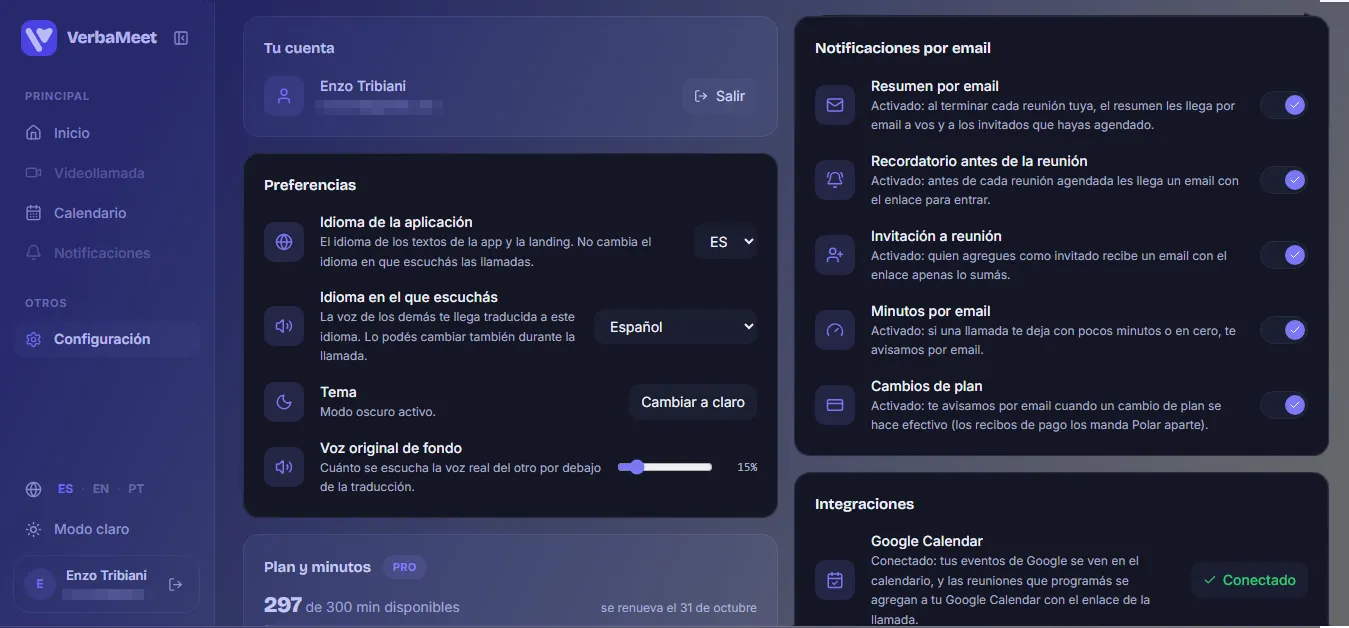
To avoid relying on someone to remember to open the history, the host can enable summary emails in account settings. Once a summary is ready, VerbaMeet can send it to the host and, when attendees were registered for a scheduled meeting, to those guests as well. The email includes key points and a link back to the session in VerbaMeet.
Delivery depends on the preference being enabled and the email service being available. It gives everyone a shared follow-up without copying notes into another tool.
Schedule online meetings and connect Google Calendar
In VerbaMeet’s calendar, users can choose a date, time, and duration, add guests by email, and create the room associated with the meeting. Invitations include the call link, and the platform can send a reminder before the meeting based on the account’s email preferences.
Google Calendar is an optional integration. Once connected, Google events can appear in VerbaMeet’s calendar, and meetings scheduled in VerbaMeet can also be added to Google Calendar with their call link. Scheduling and the meeting room stay connected while teams keep using the calendar they already check.
Search past meetings with an AI meeting assistant
With the meeting assistant, users can ask a natural-language question about earlier conversations, such as “Which meeting covered the functionality tests?” or “What did we agree about the next launch?” VerbaMeet finds related passages in available transcripts and prepares an answer with source meetings and dates.
The assistant helps recover context and point users to the right session; it does not replace reviewing the original record. For a new session to appear in search, transcription and summary processing must be enabled and complete. If the available passages do not contain an answer, the assistant should say so rather than make one up.
Example: finding an agreement in meeting transcripts
Imagine a team in several countries meeting every week to prepare a launch. During the call, each person can follow the conversation in their chosen language. Afterwards, if the host enabled those options, the team can review a summary of decisions and tasks and receive it by email.
Two weeks later, someone asks, “Which meeting set the testing date, and what was left to do?” The assistant can search processed transcripts and point to related meetings and their dates. Translation helps the conversation happen; summaries and search help the team recover what it worked out together.
What meeting features help before, during, and after a call?
- Before: schedule the meeting, invite participants, and optionally sync it with Google Calendar.
- During: meet by video and hear translated speech in each participant’s chosen language.
- After: review the transcript and summary with decisions, tasks, and next steps when those features were enabled.
- Later: receive the summary by email and ask the AI assistant about earlier meetings.
An AI meeting platform built around live translation
VerbaMeet was built to keep language from stopping a conversation. Scheduling, summaries, follow-up email, and AI search extend that idea by helping teams prepare for a call and keep its context afterwards. They are part of the same workspace, with Google Calendar available as an optional integration.
AI can make everyday conversations across languages easier to follow, but translations and summaries should be reviewed. In medical, legal, or other high-impact settings where professional interpreting is required, an automated tool is not a substitute for a qualified interpreter. Learn more at https://verbameet.online.